


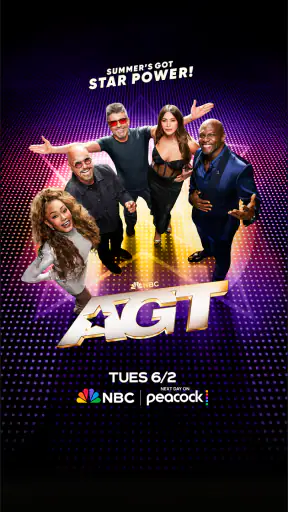
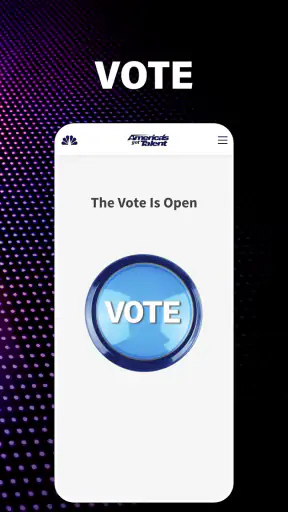
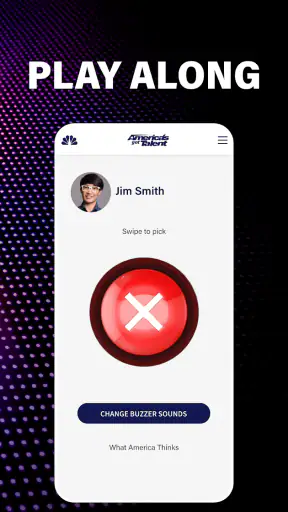
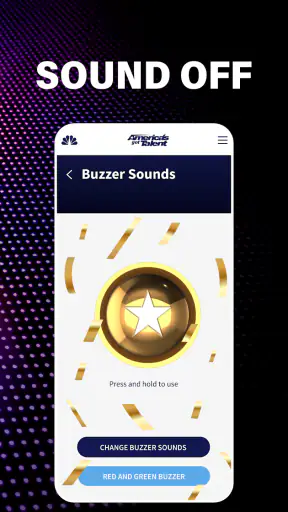
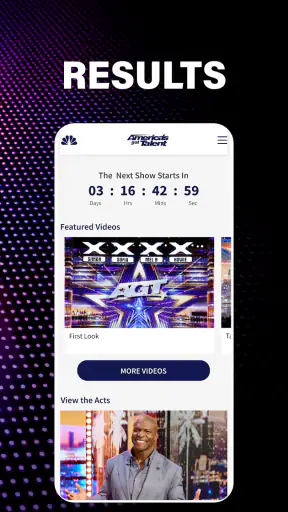
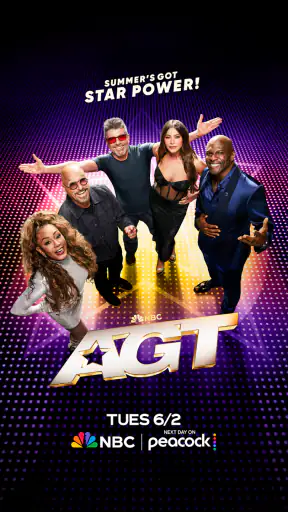
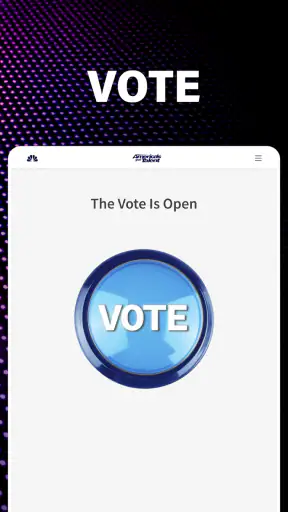
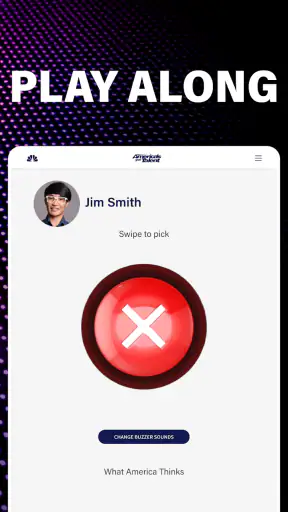
If you enjoy talent competitions but do not want to search through scattered clips, the official America's Got Talent app is a straightforward way to keep the NBC show close at hand. I approached it as a first-time viewer, looking for the quickest route from installation to something genuinely useful rather than treating it as just another entertainment icon on my phone. Its main appeal is obvious: it brings the world of the show, including Simon, Sofia, Mel B, Howie and Terry, into a focused mobile experience.
This is a free entertainment app from NBCUniversal Media, LLC, rated for Everyone. It has built a sizeable audience, with more than a million installs, a 4.2 average from roughly twelve thousand ratings, and about three thousand four hundred written reviews. Those figures suggest that it is familiar to many viewers, although popularity alone does not guarantee that it will suit every viewing habit. In my experience, it works best as a companion for people who already like the programme or want an easy way to reconnect with its current season.
What to expect before you start watching
The first thing to understand is that this is not a general streaming replacement. I would not install it expecting a broad catalogue of unrelated series, a full substitute for every television service, or a deep social network built around fan discussions. Its identity is much narrower and more useful: it is centred on America's Got Talent and the personalities connected with the show.
That narrow focus is also its strength. Instead of opening a large entertainment service and working through several menus, I can go directly to content associated with the competition. For a fan, that reduces the small but real friction of remembering where a clip, update or show-related item might be found. The experience feels more like carrying a dedicated programme companion than carrying a miniature television library.
The current store summary presents the app around Season 21 and names the familiar judging and hosting lineup. That matters for first-time users because it sets the expectation that the app is tied to the programme as it is being presented now, rather than being an archive of every moment from the show's history. If you are mainly interested in the latest season and its on-screen team, the focus makes sense. If you want a carefully organised historical record, you may find the experience less satisfying.
I also like that the age classification is Everyone. That makes it a reasonable choice for families who want to explore the show together, though parents should still use their own judgement about individual performances and the kind of entertainment they want younger viewers to watch. The rating does not turn the app into an educational tool; it simply makes the overall product approachable for a wide audience.
One useful way to think about it is as a quick-access doorway. I use it when I want to catch up with the show’s atmosphere, revisit the people on screen, or decide whether I want to follow an episode more closely. I do not use it as my only source for every piece of television content. That distinction helps avoid disappointment and makes the app’s limited scope feel intentional rather than incomplete.
Who will get the most from it
The best match is a casual or regular viewer who wants a simple, show-specific destination. It is especially suitable if your household watches America's Got Talent together and different people want to browse at different times. One person can use the app to reconnect with the season while another watches the programme on television, without needing to navigate a much larger entertainment platform.
It is also useful for someone who has heard friends talk about the show and wants a gentle introduction. The familiar names in the current presentation give a new viewer a clear starting point. Rather than learning a complicated interface, I can begin with the programme itself and then decide whether I want to explore further.
On the other hand, I would skip it if your main requirement is a broad, all-in-one video service. A general streaming app is likely to be better for someone who wants films, several television channels, personalised recommendations across many genres, and a single place for unrelated viewing. This app makes more sense when the show is the reason for opening it.
Getting from installation to a meaningful first use
Start with the simplest setup
The app is free to install, which removes the biggest barrier for a curious first-time user. On an iOS device, the listed minimum operating-system requirement is version 10, so anyone using an older system should check compatibility before expecting a smooth installation. The current version is 1.11.4, and keeping the app updated is sensible because entertainment apps can change their presentation as the programme moves through a season.
My advice is not to overthink the first launch. Open it with one clear goal: find something that tells you whether this is useful for your viewing routine. A good first goal might be locating the current season’s material, checking the show’s presentation, or finding a familiar judge or host. That is more productive than tapping through every area without knowing what you are looking for.
Because the app is dedicated to one programme, the first screen should be judged by how quickly it points you toward that programme. If you see a prominent seasonal item, start there. If the screen presents several choices, choose the one that looks closest to current show coverage rather than assuming that every section has equal importance.
A small practical tip is to install it before the moment you actually want to watch. Entertainment apps are most frustrating when opened during a family viewing session while everyone is waiting. Installing earlier gives you time to understand the layout, confirm that your device is comfortable with it, and decide whether it complements the way you already watch television.
Your first successful action
For me, the first meaningful success is not simply launching the app. It is reaching a piece of America's Got Talent-related content that answers a real question: what is happening with the current season, who is involved, or what should I watch next? Once the app helps with one of those questions, its purpose becomes clear.
A realistic everyday scenario would be a quiet evening after seeing a short television promo. I open the app, look for the Season 21 area, and use the available show-focused material to refresh my memory about the judges and host. I am not trying to spend an entire night inside the app. I want enough context to decide whether to watch the next broadcast, talk about a performance with friends, or continue exploring for a few minutes.
Another useful scenario is the morning after an episode. I may remember a performer but not the exact details of the segment. Rather than searching the wider internet with vague terms, I first check the official show companion. That focused search habit can save time, especially when several entertainment sites are publishing similar headlines.
There is also value in using it as a shared discovery tool. If a family member has never watched the programme, I can open the app and show them the current judges and host before we watch together. This creates a small introduction without requiring a long explanation. It is a modest use case, but it is exactly the kind of task a focused app can handle well.
The important trade-off is that the app’s usefulness depends on your interest in the show. If that interest is active, a short visit can feel purposeful. If you are only vaguely curious and do not recognise the programme’s names or format, the narrow content may not hold your attention for long. I would give it a clear test during the first session: can it help you find something you actually wanted to see within a few minutes?
How to avoid the most common confusion
New users may assume that an official app must contain the complete television experience. I would not make that assumption. The app is associated with NBC and the show, but that does not automatically mean it replaces the way you normally watch broadcast or streamed episodes. Treat it as a companion first, and you will have a more accurate idea of what it is for.
Another possible confusion is expecting every season and every performance to be arranged like a permanent library. The current emphasis is on the present season and its active cast of judges and host. That makes the app timely, but it also means that someone searching for a particular older moment may prefer a broader video search or another official viewing route when available.
I also recommend distinguishing between show information and the full viewing session. If you are preparing for a family night, use the app to get oriented, then use the viewing method your household already trusts for the programme itself. This two-part workflow is less frustrating than trying to force one mobile app to handle every part of the evening.
People sometimes judge a focused entertainment app by the same standards as a large streaming platform. That is not quite fair. A large service may offer stronger discovery across genres, while this app can be faster when the destination is specifically America's Got Talent. The better option depends on whether you value breadth or direct access to one show.
There is a similar distinction between this app and ordinary web searching. Search engines are better when you want a particular news story, an old interview, or information beyond the programme’s immediate presentation. The app is better when you want a more concentrated, official-feeling starting point without sorting through unrelated results. I use both, but for different jobs.
Small habits that make it more useful
First, open it with a question. “What is new around the current season?” is more useful than simply browsing. A question gives the app a job and helps you recognise quickly whether the current layout is serving your needs.
Second, use it before and after television viewing rather than during every minute of an episode. Before watching, it can help set the context. After watching, it can help you continue the conversation. During the programme, constant phone use can distract from the performances, especially when the app is being used by a family rather than one person.
Third, make the app part of a two-device or two-person routine only if that genuinely helps. For example, one person can keep the programme on the television while another checks show-related material on a phone. The benefit is convenience, not multitasking for its own sake. If the extra screen makes the evening feel cluttered, the app is better saved for a short visit before or after the broadcast.
Fourth, judge it over more than one visit. A first launch may feel ordinary if you have no immediate interest in the show. After an episode, however, the focused design can become more valuable because you already have a reason to return. This is not an app I would recommend based only on a quick icon tap; its fit becomes clearer when connected to an actual viewing habit.
Where it sits beside the usual alternatives
Compared with a general streaming service, the NBC app is more specialised and potentially quicker for show-specific browsing, but it is far less suitable as a complete entertainment hub. A broad service wins when I want variety. This app wins when I want the America's Got Talent context without entering a large catalogue.
Compared with a social media feed, it should offer a less distracting route into the programme. Social platforms may provide faster reactions and fan conversation, but they also mix spoilers, unrelated posts and changing opinions into the experience. I prefer the dedicated app when I want to stay close to the show without letting an algorithm decide what else I should see.
Compared with a web browser, the app can feel more direct for repeat visits. The browser remains more flexible for unusual searches and background information. If I am looking for a specific person’s wider career or an old clip that is not easy to locate inside the app, I would switch to the web rather than spend too long searching within a narrow destination.
This comparison also explains the app’s main weakness: focus can become limitation. Its value rises when the programme is central to your evening and falls when your interests move elsewhere. I would not call that a flaw in isolation, but it is an important buying decision even though the price is free. Your time is still a cost, and a broad service may give you more entertainment per visit if you are not a committed fan.
What I would check before recommending it
I would first ask whether the person already follows the show or wants to start with its current season. If the answer is yes, I would recommend trying the app because the free entry makes experimentation easy. I would explain that its strongest role is as an official companion, not necessarily as the only place they will watch everything connected with the programme.
I would also ask what device they plan to use. The listed minimum is iOS 10, so an older iPhone or iPad deserves a compatibility check before installation. On a supported device, I would still suggest opening it before a planned viewing session, especially if several family members are waiting to use it.
Finally, I would ask whether they prefer one focused show or a broad entertainment catalogue. That answer matters more than the rating or install count. A focused app can be refreshing when I know exactly what I want, while a general service is more convenient when I am undecided.
My recommendation after using it as a first-time viewer
America's Got Talent on NBC is an easy recommendation for fans who want a dedicated mobile companion to the current show. It is free, approachable for a general audience, and focused enough that I can understand its purpose quickly. The presence of Simon, Sofia, Mel B, Howie and Terry gives the current presentation a clear identity, while the app’s association with NBC makes it feel like the natural place to begin exploring show-related material.
My recommendation comes with a boundary: do not expect it to replace every other way of watching television or researching entertainment. Its best use is short and intentional. Open it before an episode to get oriented, after an episode to continue the experience, or when someone asks what is happening with the current season. Those workflows make the app feel useful instead of merely promotional.
The product has been available since July 8, 2015, and its current version is 1.11.4. More important than its age, though, is whether its focused approach matches your routine today. If you want a broad catalogue, choose a general streaming option. If you want a concentrated doorway into one familiar competition, I think this app is worth trying.
After installation, my suggested path is simple: open the app, go straight to the current season, identify the material that answers your immediate question, and then decide whether it adds something to your normal viewing. That first successful action should take only a short visit. If it helps you connect with the show, keep it as a companion. If it does not, you have lost little because there is no purchase barrier.
In the end, I see it as a practical, show-specific entertainment tool rather than a complete television destination. Its real strength is reducing the distance between curiosity about America's Got Talent and a focused first look at the programme. For a first-time user, that is reassuring: there is no need to master a complicated system. Start with the season, follow your interest, and let the app prove its value through one useful visit.


